Verifactu is the system through which invoices are registered with the Spanish tax agency (AEAT). It’s set up in Tax details, at the bottom of the screen, with a digital certificate and two switches.
In short
Go to settings ⚙ → Tax details, scroll down to VeriFactu certificate, upload your certificate (.p12 or .pfx) with its password and save it. Then turn on Test mode first and, once everything works, VeriFactu enabled.
Is it mandatory yet?
Verifactu is not mandatory right now. You can turn it on whenever you like to test it and have it ready before the deadline.
- Companies (corporate income tax): 1 January 2027.
- Self-employed and other obligated taxpayers: 1 July 2027.
In October 2026 the tax agency announced it will postpone this until October 2028, but that change wasn’t yet published in Spain’s official gazette (BOE). Before planning around 2028, check the BOE or ask your accountant to confirm the rule has been approved.
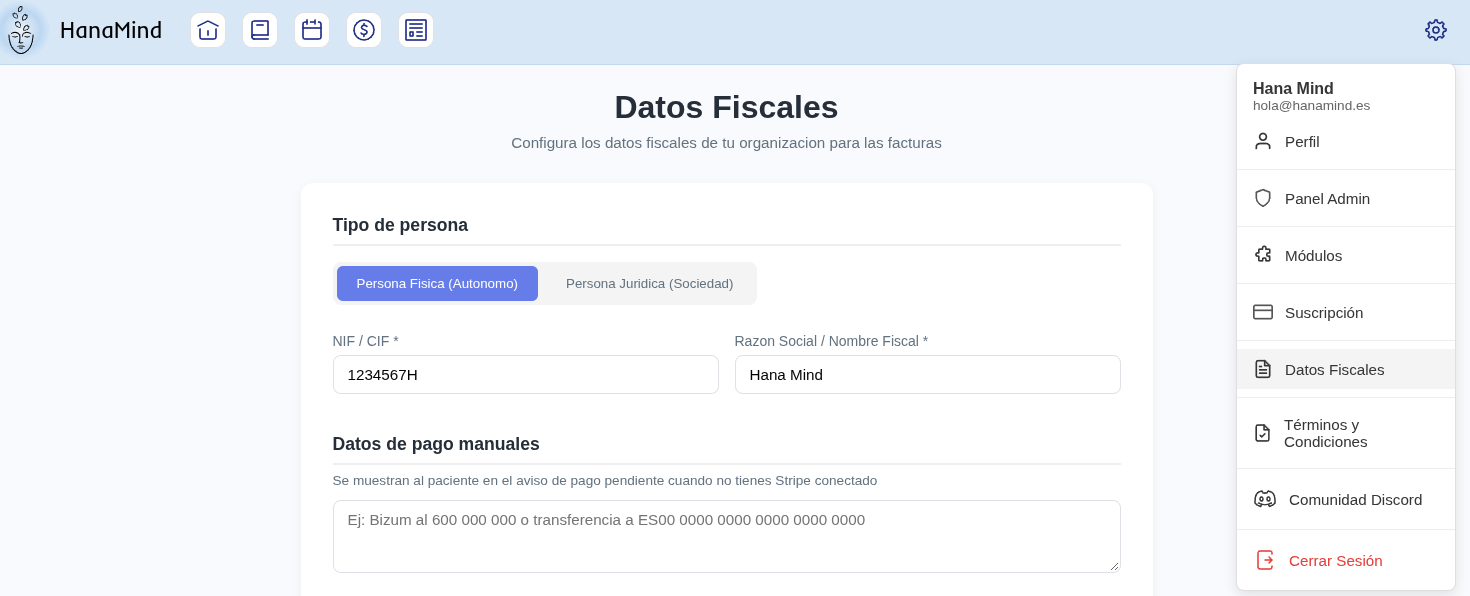
Open Tax details from settings
Press the settings icon ⚙ at the top right. In the menu, choose Tax details, where your organisation’s tax information for invoices is kept.
Upload your digital certificate
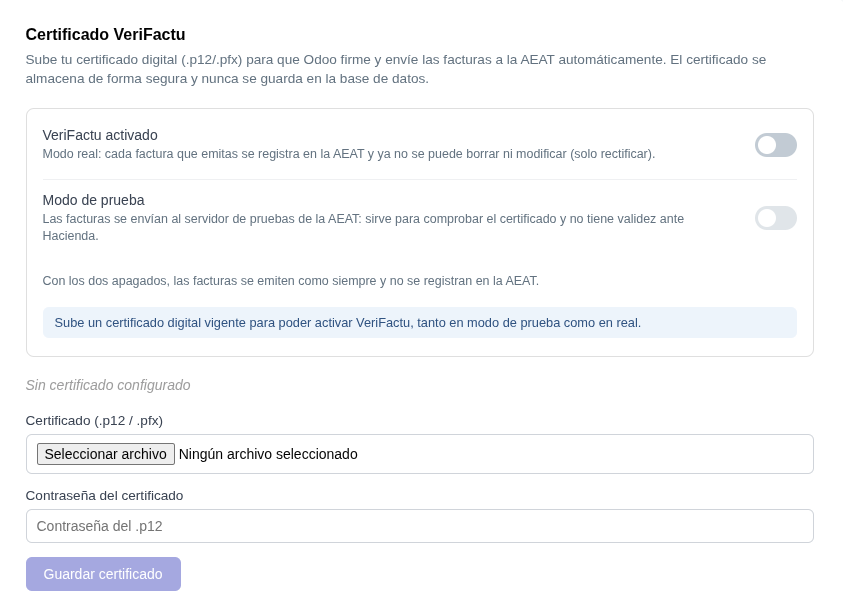
Scroll down to the VeriFactu certificate block. Press Choose file and select your certificate (.p12 or .pfx). Enter its password in Certificate password and press Save certificate.
The certificate is private
The certificate is stored securely and not in the database. Until a certificate is saved, neither switch can be turned on.
Turn on Test mode first
Below Test mode there’s a switch. Turn it on: invoices are sent to the AEAT’s test server. It lets you check that the certificate works, but it has no legal validity. We recommend starting here.
Turn on VeriFactu once everything works
When you’ve checked that invoices are sent correctly in test mode, turn on VeriFactu enabled. This is the live mode: every invoice you issue is registered with the AEAT and can no longer be deleted or edited. It can only be corrected. See the guide Correct an issued invoice.
With both switches off
If VeriFactu enabled and Test mode are both off, invoices are issued as usual and are not registered with the AEAT.
Then check the status
Once Verifactu is on, each issued invoice shows its status in the History. If one is rejected, see the guide Check your history, download quarters and review Verifactu.