This way starts from an already booked appointment. When you book a first appointment with a new patient, their record is generated the moment they fill in the consent form, usually in their first session.
Book the patient's first appointment
Create the appointment choosing New patient (the full step-by-step is in the How to book appointments guide).
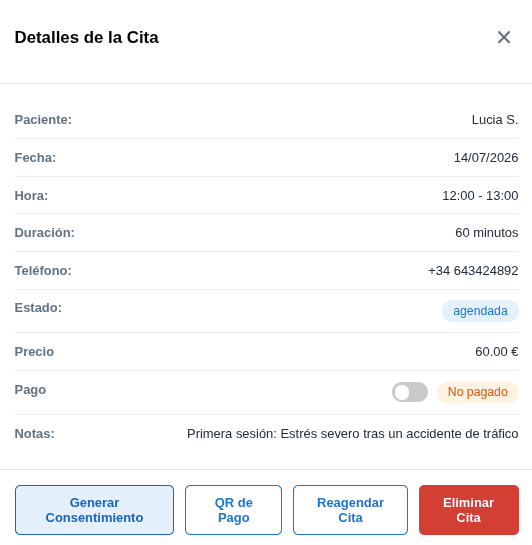
Open the appointment and click Generate consent
Click on the booked appointment to open its Details and click Generate consent.
The patient fills in and signs the consent form
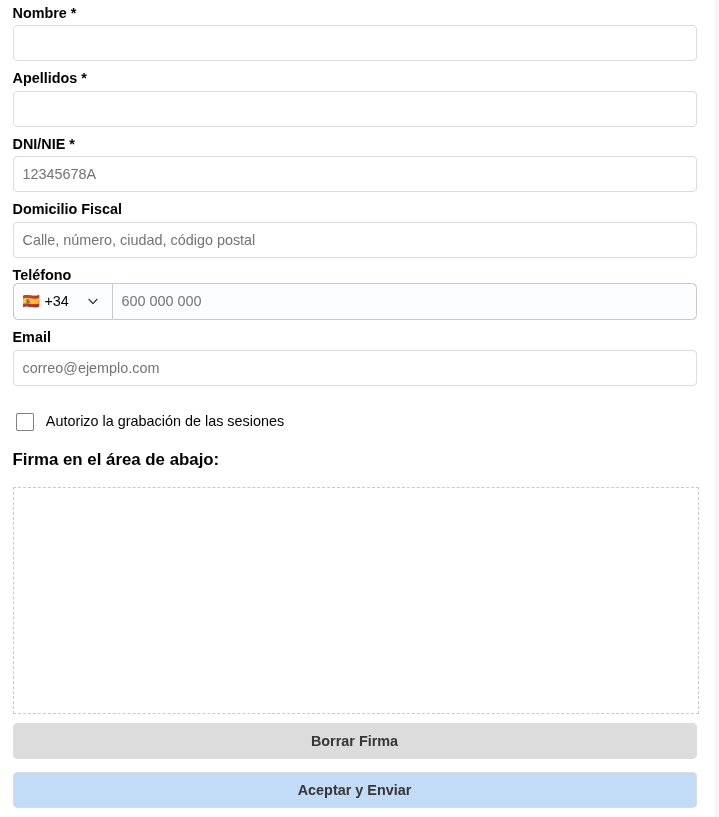
Hand the phone, tablet or computer to the patient so they can fill in their details (name, ID number, address, phone, email…) and sign the consent form during the session.
Their record is generated
When they finish and send the consent form, their record is created automatically, already with all their data and ready to work with.
The other way to create a record
If you'd rather register them without booking an appointment yet, do it from the treatments list. We explain it in the Create a record from the Records view guide.