Accounting isn’t only for seeing your income: you can also email patients who owe you a payment. With the Notify button they receive an email asking them to pay, with a Stripe payment link.
In short
Go to Accounting, look at the last column and click Notify next to the patient, or Notify all. You need Stripe turned on. You can send one email per day.
Go to Accounting
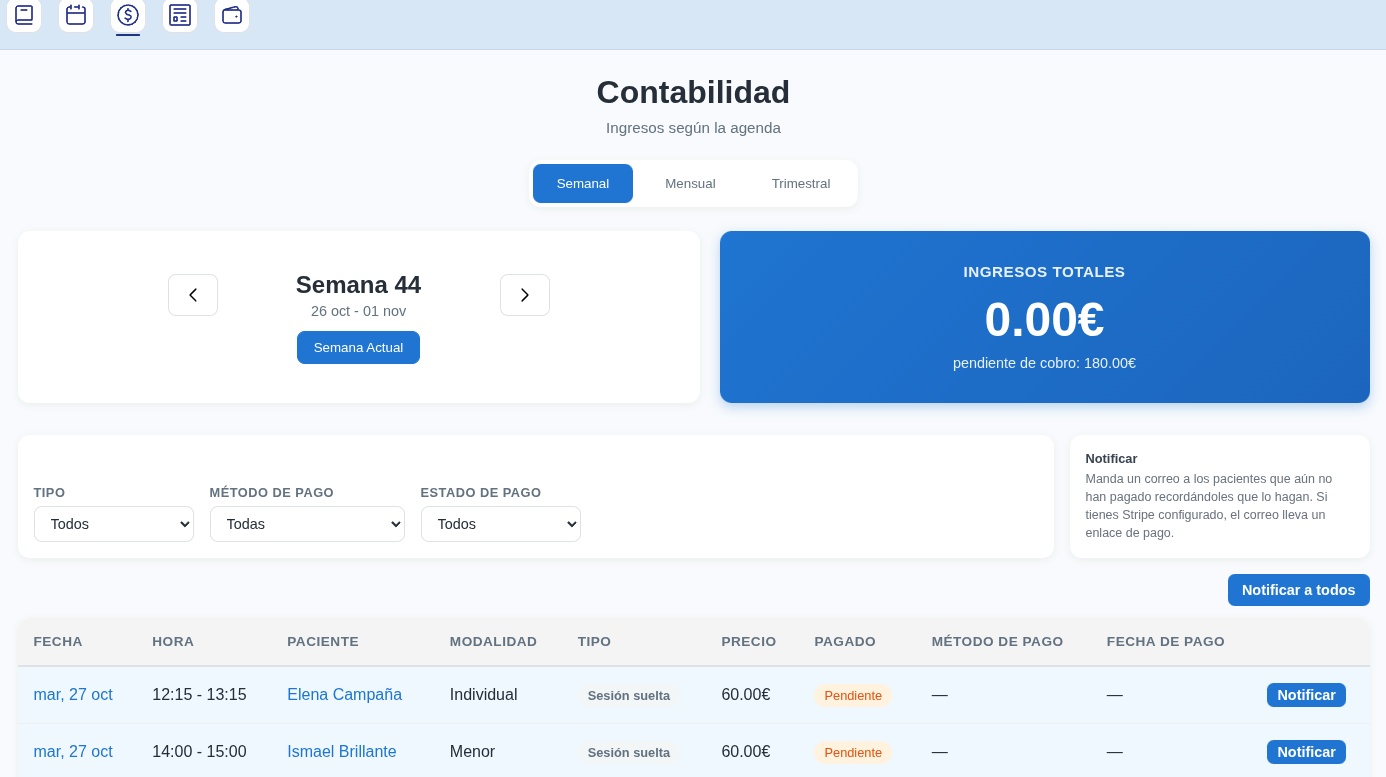
Open Accounting and choose the Weekly, Monthly or Quarterly view. You’ll see the patients with a Pending payment.
Click 'Notify' in the last column
In the last column on the right, each patient with a pending payment has a Notify button. To remind everyone at once, click Notify all.
If you haven’t sent any reminder yet, you’ll only see the Notify button.
The patient gets the email with the payment link
The email asks them to pay and includes a Stripe payment link. The patient pays by card from the link, without you having to write to them.
The send is logged on your dashboard, in Notifications from Monday to Sunday → Invoicing tab, as Payment reminder.
See whether they've read it
After notifying, the column shows the date of the last reminder and whether the patient has opened it:
- Read with the date: the patient has opened the email.
- Unread: they haven’t opened it yet.
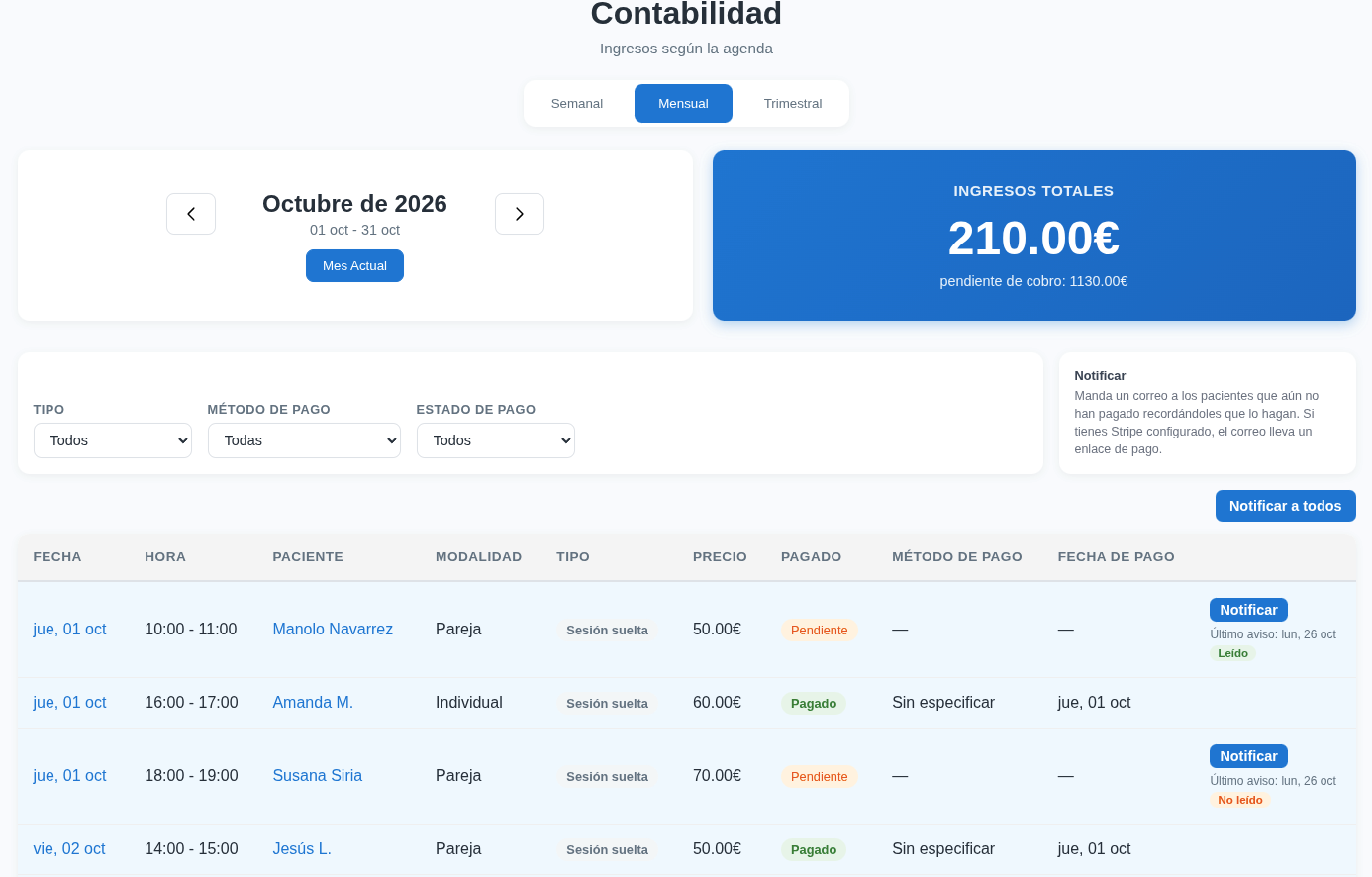
When they pay, the reminder goes away
The moment the patient pays you, the Notify option disappears for that appointment. That way you know there’s no need to chase them.
Remember
You can send one email per day, both from the calendar and from Accounting. If you don’t have Stripe turned on, the email has no payment link.